

Description
Download Atom Launcher APK – Personalization, Home Launcher, ICS Launcher, Customize Your Phone, Music Player
Overview
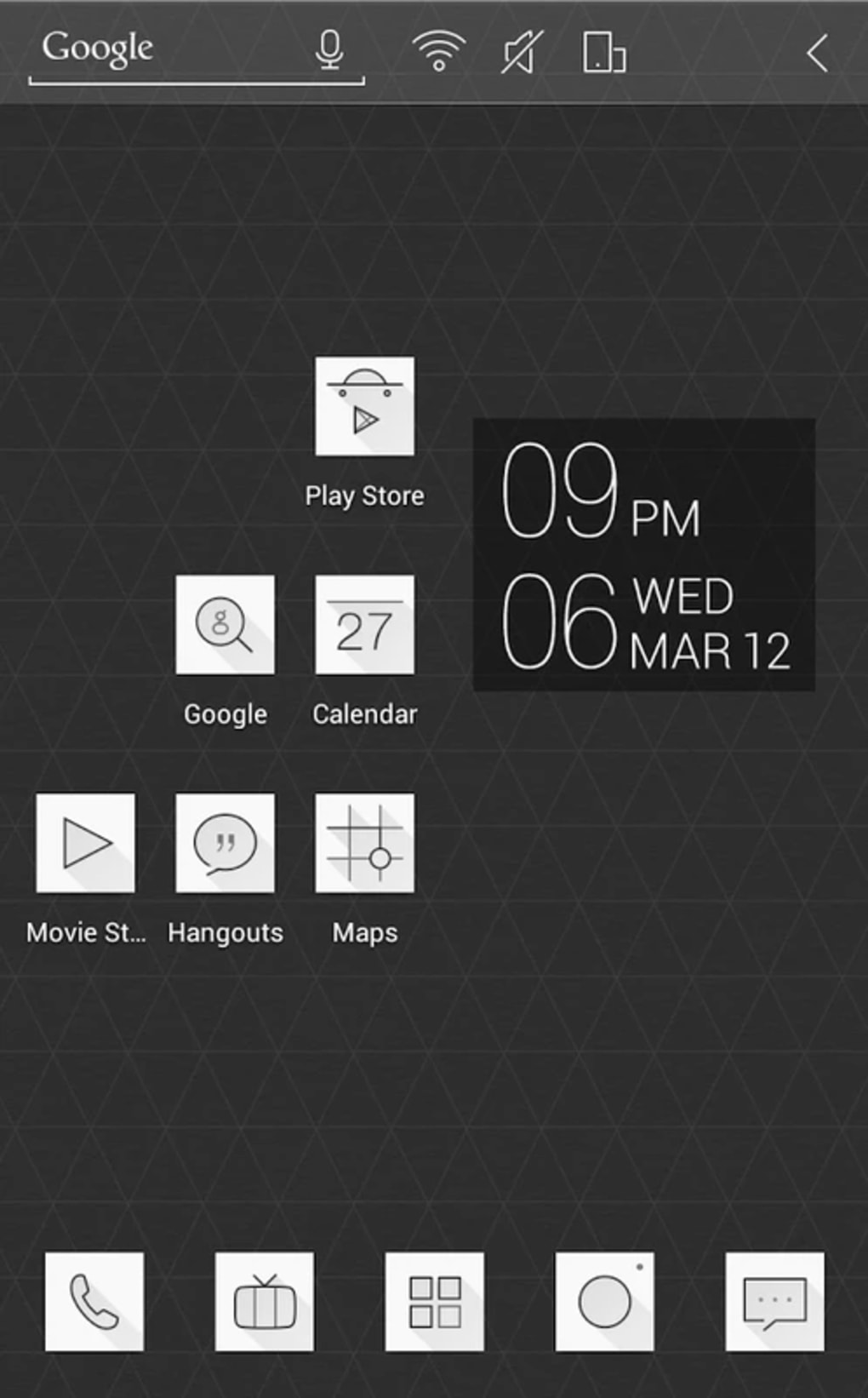
Atom Launcher is a free personalization application designed for Android devices, offering users a customizable home launcher experience. Developed by DLTO, the app aims to enhance the Android interface by providing a clean, modern, and highly adaptable home screen environment. It falls within the Personalization category and is particularly noted for its integration of a built-in music player, theme backup and restore functionality, and support for ICS-style launcher design. The app is ideal for users seeking greater control over their device’s appearance and interaction flow, especially those who enjoy customizing their smartphone’s look and feel.
Target users include Android enthusiasts, design-conscious individuals, and anyone looking to replace or enhance their default launcher with a lightweight, feature-rich alternative. Real-world usage scenarios include personalizing the home screen with custom icons, adjusting transition effects, managing app organization, and enjoying music playback without switching applications. The app has gained popularity, with over 10 million downloads and a strong user rating of 4.7 out of 5 based on more than 100,000 reviews, indicating consistent user satisfaction.
Key Features & Capabilities
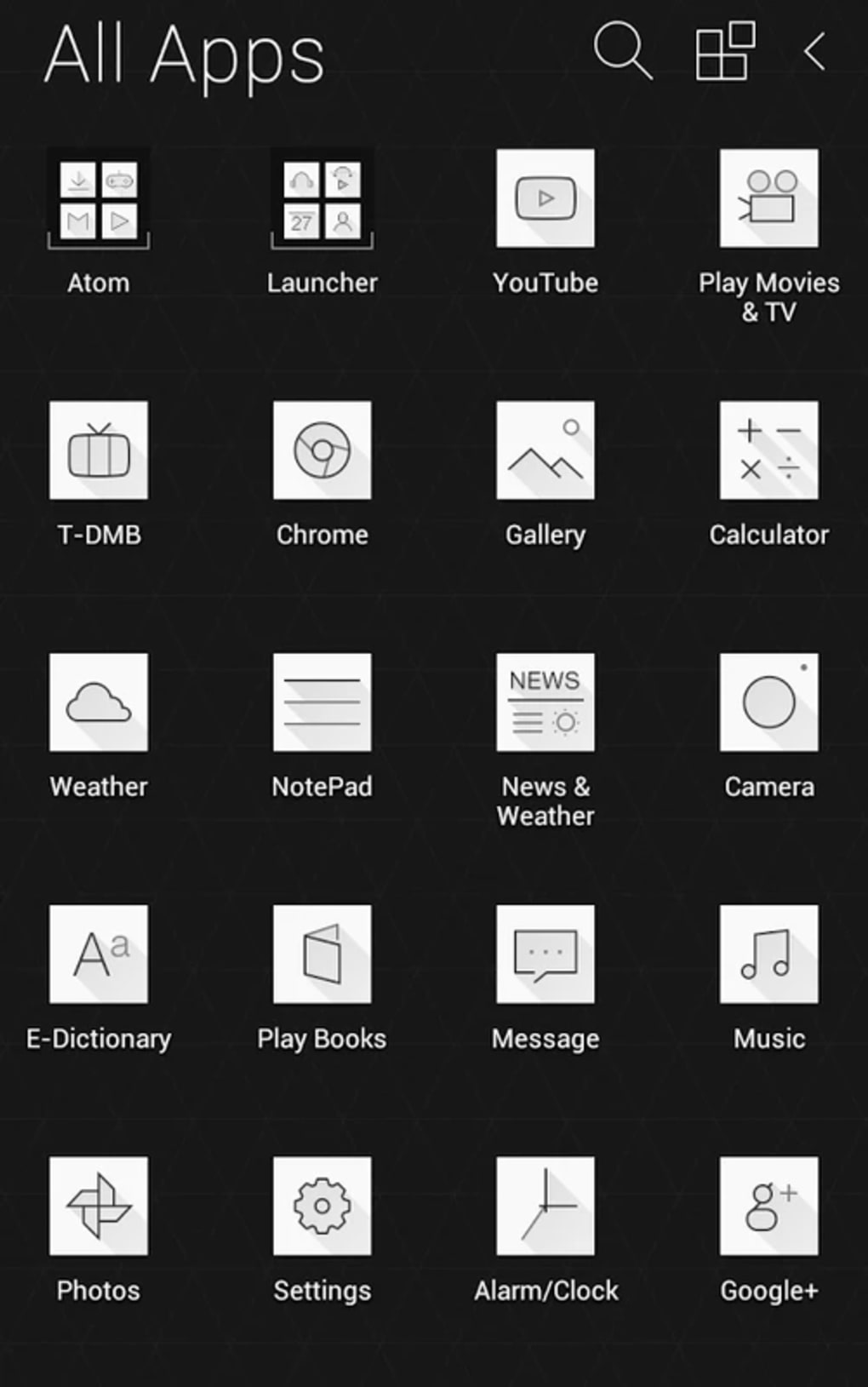
- Customizable Home Launcher – Users can personalize their home screen with a wide range of icon packs, wallpapers, and layout options, enabling a unique device identity.
- ICS Launcher Design – The app features a user interface inspired by the Ice Cream Sandwich (ICS) design language, offering a clean and familiar aesthetic for users who prefer a classic Android look.
- Built-in Music Player – Integrated audio playback allows users to listen to music directly from the launcher, reducing the need to switch between apps.
- Theme Backup and Restore – This functionality enables users to save their current theme settings and restore them later, ensuring consistency across devices or after updates.
- Transition Effects and Animation Support – Customizable animations enhance the visual experience, contributing to a smoother and more engaging user interaction.
These features collectively support a seamless and immersive user experience, particularly for users who value both aesthetics and functionality. The ability to manage themes and transitions makes Atom Launcher a versatile tool for daily use, while the music player adds practical convenience. Users have expressed interest in additional features such as transparent notification bars and more icon options, suggesting a growing demand for deeper customization.
User Interface, Workflow & Performance
The user interface of Atom Launcher is structured around simplicity and visual clarity, with intuitive navigation that allows users to access settings, themes, and app drawers with minimal effort. The layout emphasizes clean lines, consistent spacing, and responsive touch feedback, aligning with modern Android design principles. Workflow efficiency is enhanced by the app’s ability to integrate multiple functions—such as launching apps, playing music, and adjusting themes—within a single interface.
Performance observations are based on general software behavior patterns. The app is reported to be lightweight, with a file size of 17.6 MB, which suggests efficient resource usage. However, exact performance details such as CPU or RAM consumption were not specified by the developer. Stability is inferred from the app’s high download count and consistent user ratings, though no formal performance benchmarks were provided. The app is compatible with Android 5.0 and up, indicating broad device support across older and newer models.
Compatibility & System Requirements
Atom Launcher is designed to run on Android 5.0 and later versions, ensuring compatibility with a wide range of devices. The current version is 1.3.4, released on April 17, 2023. The installation size is 17.6 MB, making it a lightweight application suitable for devices with limited storage. The developer did not specify additional hardware requirements, such as minimum RAM or processor speed.
Platform compatibility information is limited to Android 5.0 and above. No information was provided regarding support for tablets, wearables, or other Android-based platforms. The app is available in multiple languages, which enhances accessibility for international users. Users are advised to ensure their device meets the minimum Android version requirement to install and use the app effectively.
Pros and Cons
Pros
- Free to download and use with no in-app purchases
- Lightweight size (17.6 MB) suitable for low-storage devices
- Supports ICS-style launcher design for a classic Android look
- Integrated music player for convenient audio playback
- Theme backup and restore functionality for easy customization
- High user rating (4.7/5) based on over 100,000 reviews
Cons
- Developer did not provide detailed system requirements beyond Android 5.0
- Performance metrics such as CPU/RAM usage were not disclosed
- Some users have requested additional features like transparent notification bar
- Limited information on update frequency or long-term maintenance
- Available only as an APK, which may raise security concerns for cautious users
FAQ Section
Is Atom Launcher compatible with my Android device?
Atom Launcher is compatible with Android 5.0 and later versions. If your device runs on a supported Android version, you should be able to install and use the app.
Is Atom Launcher safe to download and install?
The app is available for free on trusted platforms like Uptodown. However, since it is distributed as an APK file, users should ensure they download from reputable sources to avoid potential security risks.
Can I update Atom Launcher after installation?
Yes, updates are released periodically. The current version is 1.3.4, released on April 17, 2023. Users can check for updates manually or through the distribution platform.
Does Atom Launcher require an internet connection?
While the app functions offline for launching apps and customizing the home screen, some features like theme downloads or music playback may require internet access.
Is the app available in languages other than English?
Yes, Atom Launcher is available in multiple languages, improving accessibility for non-English-speaking users worldwide.
Final Thoughts
Atom Launcher stands out as a free, lightweight, and highly customizable home launcher for Android users who value personalization and design. With its ICS-inspired interface, built-in music player, and theme backup capabilities, it offers a compelling alternative to default launchers. The app’s strong user rating and widespread popularity underscore its reliability and appeal. While some advanced customization features are still in demand, the current feature set delivers significant value for users seeking a clean, functional, and aesthetically pleasing home screen experience.
For Android enthusiasts and users who want to transform their device’s look and feel without sacrificing performance, Atom Launcher is a top contender. Its combination of usability, design, and free access makes it a standout choice in the Personalization category.
Download Atom Launcher now
Guides & Tutorials for Atom Launcher APK
How to install Atom Launcher APK
- Click the Preview / Download button above.
- Once redirected, accept the terms and click Install.
- Wait for the Atom Launcher APK download to finish on your device.
How to use Atom Launcher APK
This software is primarily used for its core features described above. Open the app after installation to explore its capabilities.
User Reviews for Atom Launcher APK 0
No reviews found





